> ## Documentation Index
> Fetch the complete documentation index at: https://docs.usekana.com/llms.txt
> Use this file to discover all available pages before exploring further.
# What are features?
## Overview
A feature is **anything that can be used for billing in your product**. It does not necessarily have to be billed currently or be a part of your existing packages - but if it could be, then that’s a feature.
### Feature Type
Kana recognises two kinds of features:
* **Binary**: The feature is purely accessible. There is no consumable amount given or limit to usage. Example: Product Access, 24 Hour Support SLA, etc.
* **Consumable**: The feature can have amounts. It can either be unlimited or you can impose a limit which a user receives. Example: Seat, API Call, Messages, etc.
## How do features work in packages?
Features are **included in the packages** which you offer to your users.
When a feature is added to a package, we record details about it as it exists in that particular package. This includes a limit on that feature.
The same feature can therefore be used across multiple packages with different limits.
**Can you change the type of feature across packages?**
No, it is only possible to change the limit. The type stays the same as what’s been set on the feature. You should create a new feature if you need a different type on other packages.
### Feature Limit
You can set an amount of a feature that is given to a user if they subscribe to this package. You should set this when [creating or editing a package](/non-technical/packages/create-new-packages).
This is only possible for **consumable** features. Binary features are access only whereby more than one cannot be provisioned. If the feature is technically consumable but gives unlimited access, you can mark this as unlimited.
## Where can I see, create and edit features?
You can find all your existing features in the [Dashboard](https://dashboard.usekana.com/) within the [Features](https://dashboard.usekana.com/features) section.
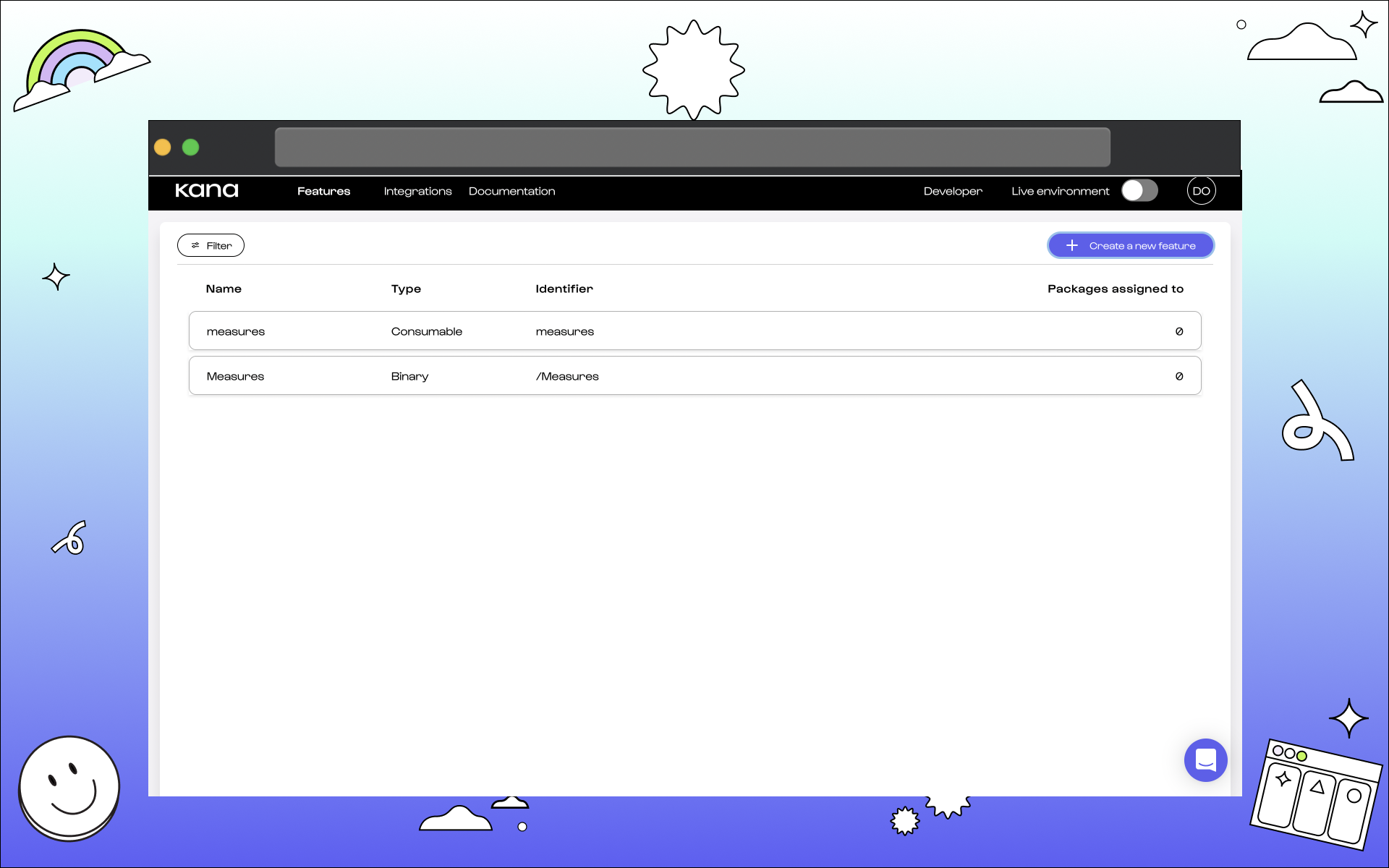 You can also create and edit features from this page. We have a guide on creating a new feature which should come in handy.