> ## Documentation Index
> Fetch the complete documentation index at: https://docs.usekana.com/llms.txt
> Use this file to discover all available pages before exploring further.
# Authorization (Backend)
## Description
The Kana API uses an **API Key to authenticate requests**. Your API Key must be present for all requests made, otherwise your requests will fail.
Your token should start with `prv_` and will end with a random 32-character alphanumeric string - for example: `prv_test_794df9bu824e7d0176e079940e0915le`.
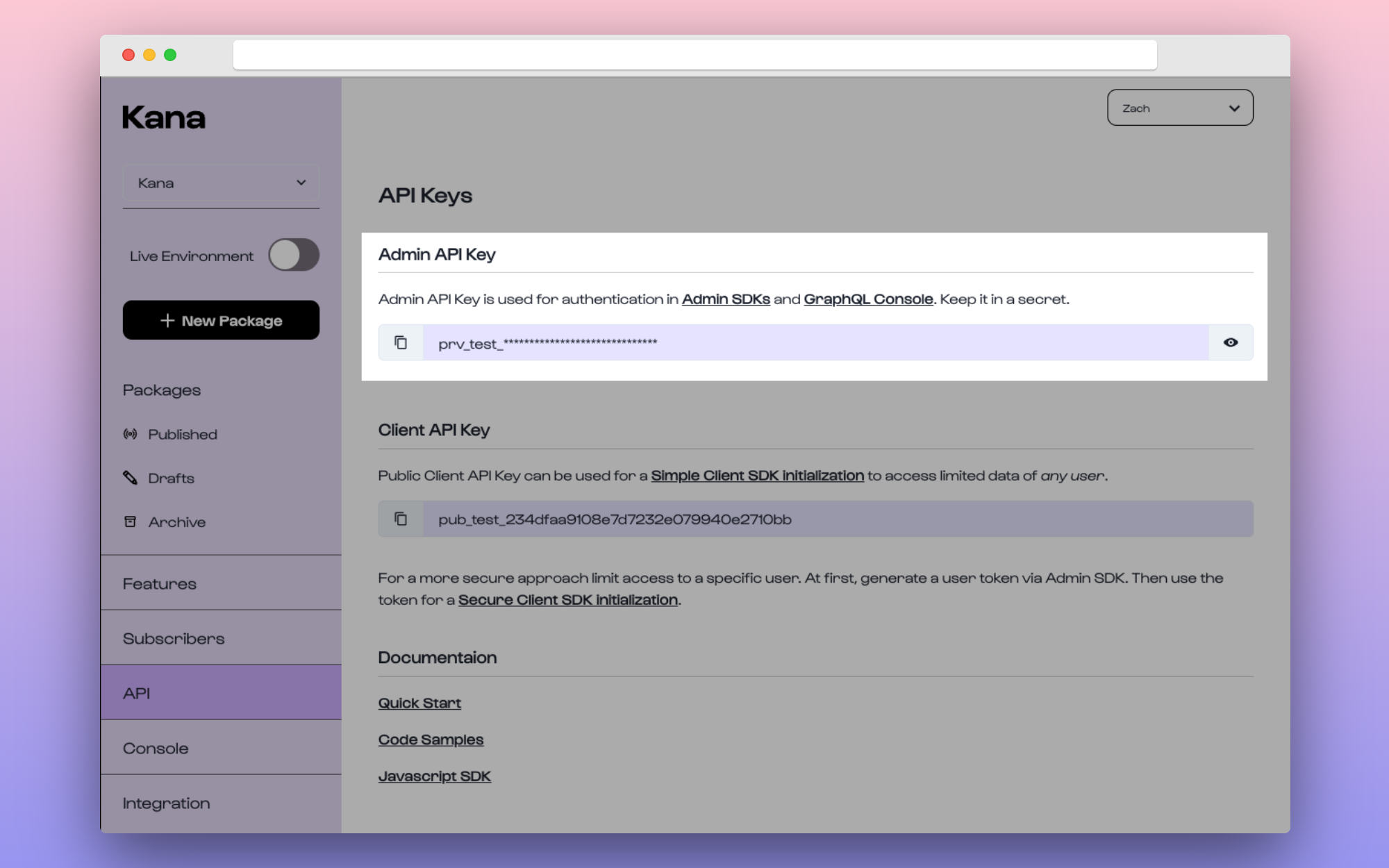 **Where can I get my API Key from?**
You can fetch this in the [Dashboard > API Keys](https://dashboard.usekana.com/apiKeys) section under the title of *"Admin API Key"*.
Bear in mind that this is **separate from the Public Client API Key** which is instead [used for the Client SDK](/client-sdk-frontend/authorization-frontend/simple-mode).
**Do not expose this token anywhere publicly**
Store this somewhere secure and ensure it is not saved or shared in any publicly accessible request or location.
## Using your key
Authentication to the API is performed via [Bearer Authentication](https://swagger.io/docs/specification/authentication/bearer-authentication/). Your API Key should be provided through an `Authorization` header (`-H "Authorization: \{API_KEY}"`). We do not require `Bearer` to precede the API Key.
```bash theme={null}
$curl https://api.usekana.com/graphql \
-X POST \
-H "Authorization: INSERT_API_KEY" \
-d '{ "query": "mutation { createFeature(featureIdentifier: \"seats-test\", name: \"Seats Test\") { identifier name } }" }'
```
You'll need to initialize the KanaAdmin client with the API Key passed as an `apiKey` argument. The Node.js library will then automatically send this key in each request.
```javascript theme={null}
import { KanaAdmin } from "@usekana/admin-kana-js";
const kanaAdmin = new KanaAdmin({
apiKey: API_KEY, // Replace with own Private API Key
});
```
**Where can I get my API Key from?**
You can fetch this in the [Dashboard > API Keys](https://dashboard.usekana.com/apiKeys) section under the title of *"Admin API Key"*.
Bear in mind that this is **separate from the Public Client API Key** which is instead [used for the Client SDK](/client-sdk-frontend/authorization-frontend/simple-mode).
**Do not expose this token anywhere publicly**
Store this somewhere secure and ensure it is not saved or shared in any publicly accessible request or location.
## Using your key
Authentication to the API is performed via [Bearer Authentication](https://swagger.io/docs/specification/authentication/bearer-authentication/). Your API Key should be provided through an `Authorization` header (`-H "Authorization: \{API_KEY}"`). We do not require `Bearer` to precede the API Key.
```bash theme={null}
$curl https://api.usekana.com/graphql \
-X POST \
-H "Authorization: INSERT_API_KEY" \
-d '{ "query": "mutation { createFeature(featureIdentifier: \"seats-test\", name: \"Seats Test\") { identifier name } }" }'
```
You'll need to initialize the KanaAdmin client with the API Key passed as an `apiKey` argument. The Node.js library will then automatically send this key in each request.
```javascript theme={null}
import { KanaAdmin } from "@usekana/admin-kana-js";
const kanaAdmin = new KanaAdmin({
apiKey: API_KEY, // Replace with own Private API Key
});
```
Make sure to replace the API Key with your own when using the above code
samples.